
UX/UI Blueprint·12 deliverables
- Flow Map
- Wireframe Set
- Design System
- Component Library
- Onboarding Flow
- First-Value Path
- Accessibility
- Habit Loop
- Tokens
- Interaction States
- Copy Tone
- Downstream Feed
When it triggers
UX/UI generates against a locked Foundation — never against a blank brief.
The customer, the wedge, and the value proposition decide which flows matter, which components are non-negotiable, and where the design system signals trust.
An idea scored on commercial fit
A Foundation Blueprint locking customer + wedge
Market intelligence indicating experience expectations
Strategic input
Read from strategy, not invented on the fly.
From your Strategy Map
- Selected path with experience hypothesis
- Differentiation vectors that the UI must signal
- Tone of voice for in-product copy
From Market Intelligence
- Conventions competitors set — and where to break them
- Accessibility regulations relevant to the segment
- Device and platform mix of the target customer
The real surface
A flow map, a wireframe set, and a design-system register.
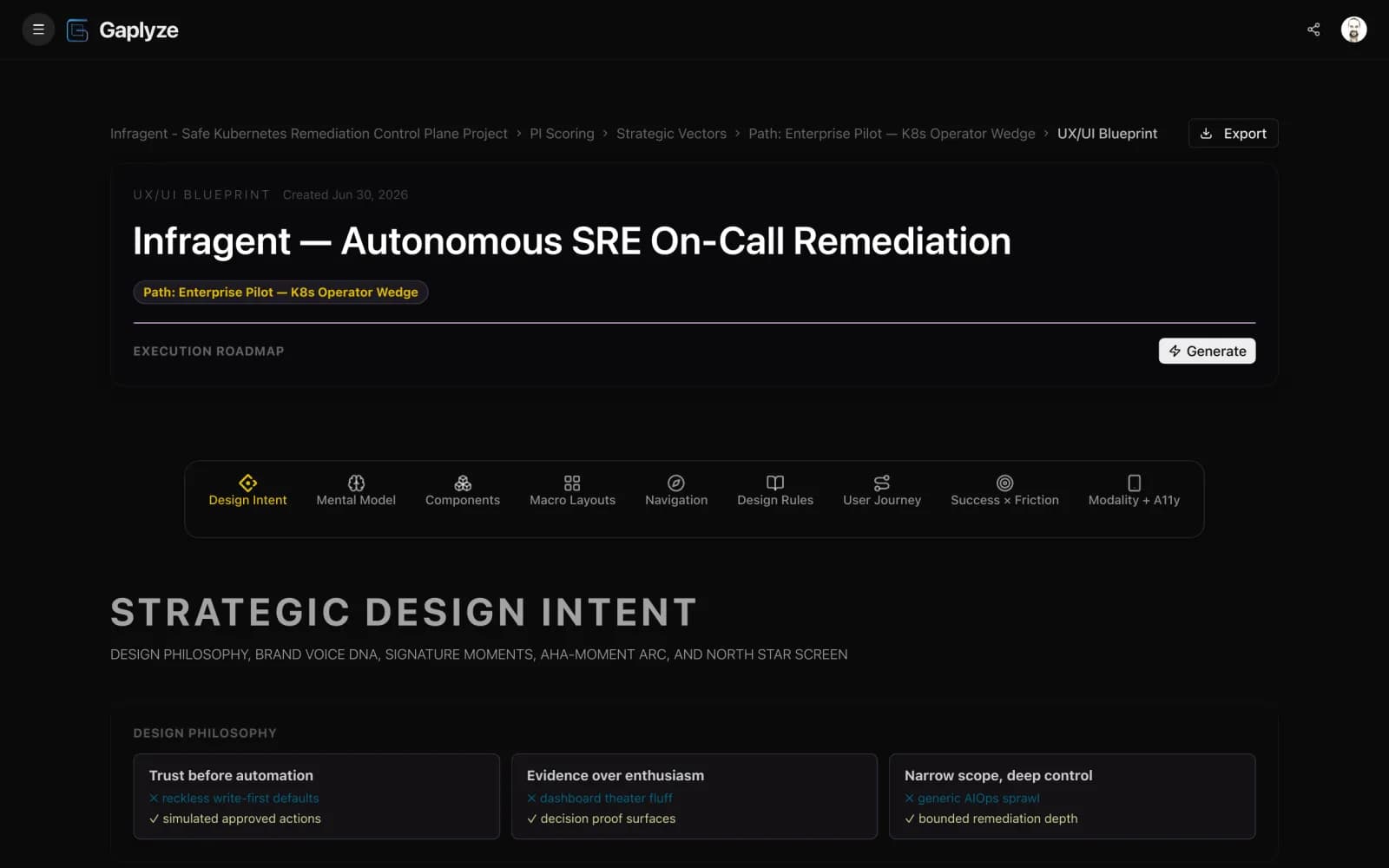
The actual UX/UI Blueprint — the first-value flow across each onboarding surface, the wireframes, and the design-system primitives. Open it and scroll the whole thing.
Roadmap outputs
From a designed experience to the tasks your team executes.
Validate
- Click-path test on the wireframes
- Tone-of-voice audit on in-product copy
- Accessibility baseline on key flows
Build
- Primitive library scaffolded in code
- First-value flow shipped behind a feature flag
- Empty + error + loading states defined per surface
Defend
- Quarterly UX-debt audit
- Drift check between design system and shipped UI
- Mobile-parity audit at small viewports
Prompt-pack outputs
Context your AI coding agent needs to scaffold the UI.
Design-system briefing
Component tokens, motion patterns, and accessibility patterns packaged for an AI coding agent
Flow-by-flow brief
Per-surface intent + states + edge cases your agent needs to scaffold the screens
Brand-voice guardrail
In-product copy patterns aligned with the Foundation wedge — rejects off-tone drafts
Sibling blueprints
Where UX/UI stops — and where each sibling picks up.
Start free
Generate the UX/UI plan against your locked Foundation.
No credit card. Generate flows, design tokens, and component briefs — upgrade for deeper roadmaps, prompt packs, and exports.
FAQ
UX/UI questions, answered.
Does the UX/UI Blueprint produce high-fidelity mockups?
No. It produces low-fidelity wireframes for the core flows, a design-system component register, accessibility patterns, and a flow map — the structural decisions a designer or builder turns into pixel mockups in a tool like Figma.
Are design tokens included?
Yes. The blueprint defines colour scales, spacing, typography ramps, radii, and motion patterns — sourced from your Foundation positioning so the brand tone reads cohesively.
Do I still need a designer after this?
If you have one, the blueprint becomes their brief and accelerates their work. If you don't, the blueprint is detailed enough to hand to an AI coding agent or a contract designer for shippable output.
Can I iterate on the UX after it generates?
Yes. Every flow and component is editable. When the Foundation changes — new customer segment, new wedge — you can regenerate the UX/UI Blueprint against the new anchors.
Is the output mobile-first by default?
Yes. Wireframes are authored at the small viewport first, then scaled up — same discipline the rest of the product uses.
What accessibility coverage is included?
Contrast targets, keyboard-navigation patterns, focus management, ARIA semantics, and motion-reduce defaults — the WCAG 2.2 AA baseline encoded as repeatable patterns.
Continue reading
Where UX/UI goes next.
Design the experience your wedge deserves.
Wireframes, components, accessibility patterns — the experience plan your team ships from.